
Imagine walking into a top-tier design studio just a few years ago. The hum of the room was filled with the sound of rapid clicking, hours spent masking images in Photoshop, perfectly aligning UI components, or endlessly scrolling for the exact right stock photo. It was a creative grind. Fast forward to 2026, and that same studio is producing unimaginably ambitious work in a fraction of the time. The difference isn't that the designers have stopped working hard; it's that the tools have finally started carrying their weight. We have entered the era of AI-augmented design, where your value isn't measured by how fast you can push pixels, but by how well you can direct the machine.
What are the best AI tools for designers in 2026?
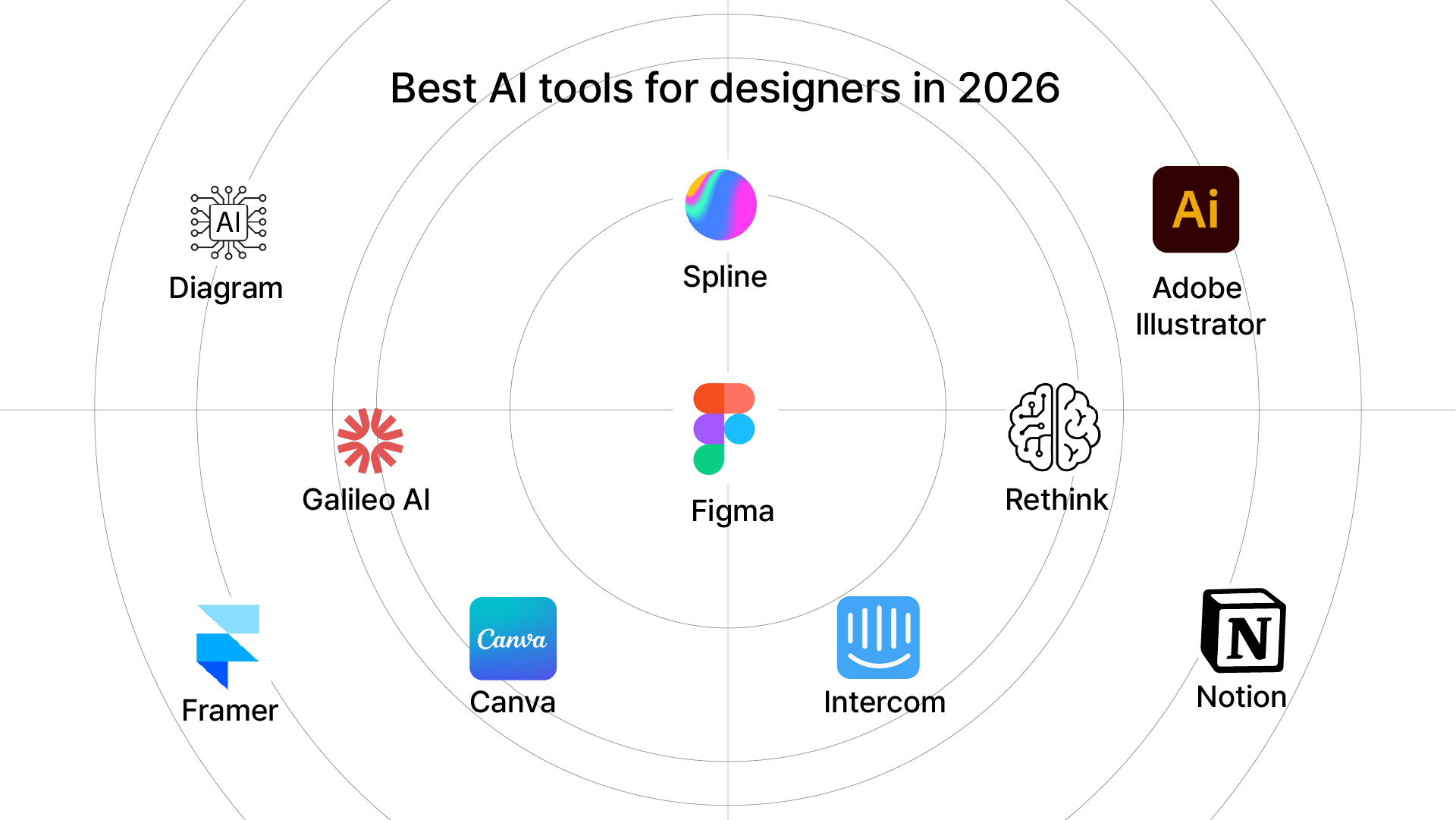
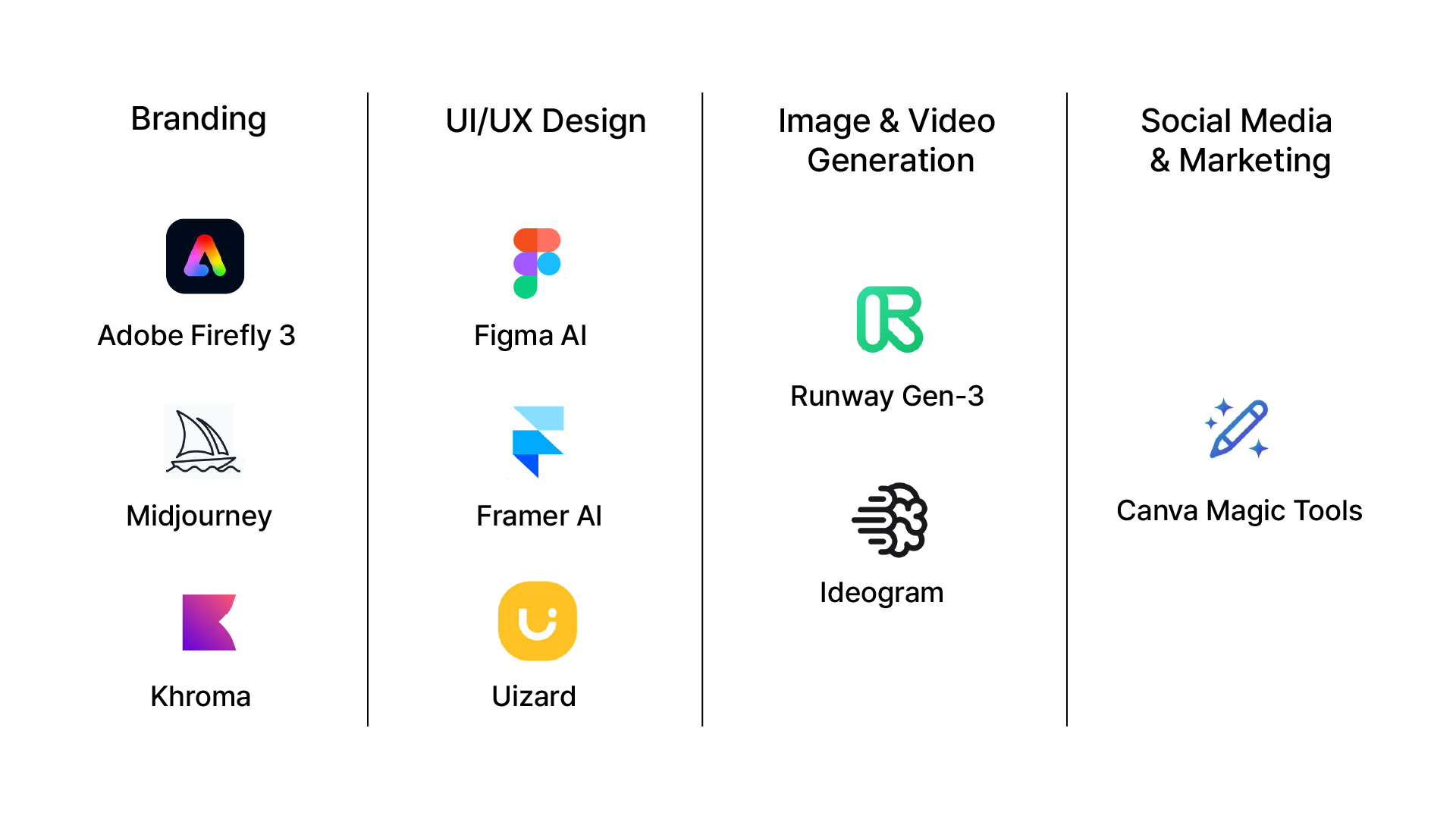
The 10 best AI tools for designers in 2026 are Adobe Firefly 3, Midjourney v7, Figma AI, Runway Gen-3, Khroma, Framer AI, Canva AI, Uizard, Ideogram 2.0, and Notion AI, each one solving a specific problem in the design workflow, from visual creation to client documentation.
But knowing the names isn't enough. The designers gaining a real competitive edge aren't those who collect tools; they're the ones who know exactly where each tool fits in their process. AI doesn't replace the craft. It removes the friction so the craft can breathe.
This isn't a generic roundup. This is a curated breakdown of the AI tools actively used by professional studios in 2026, what each one actually does, which design discipline it serves, and what makes it worth adopting over the dozens of alternatives.
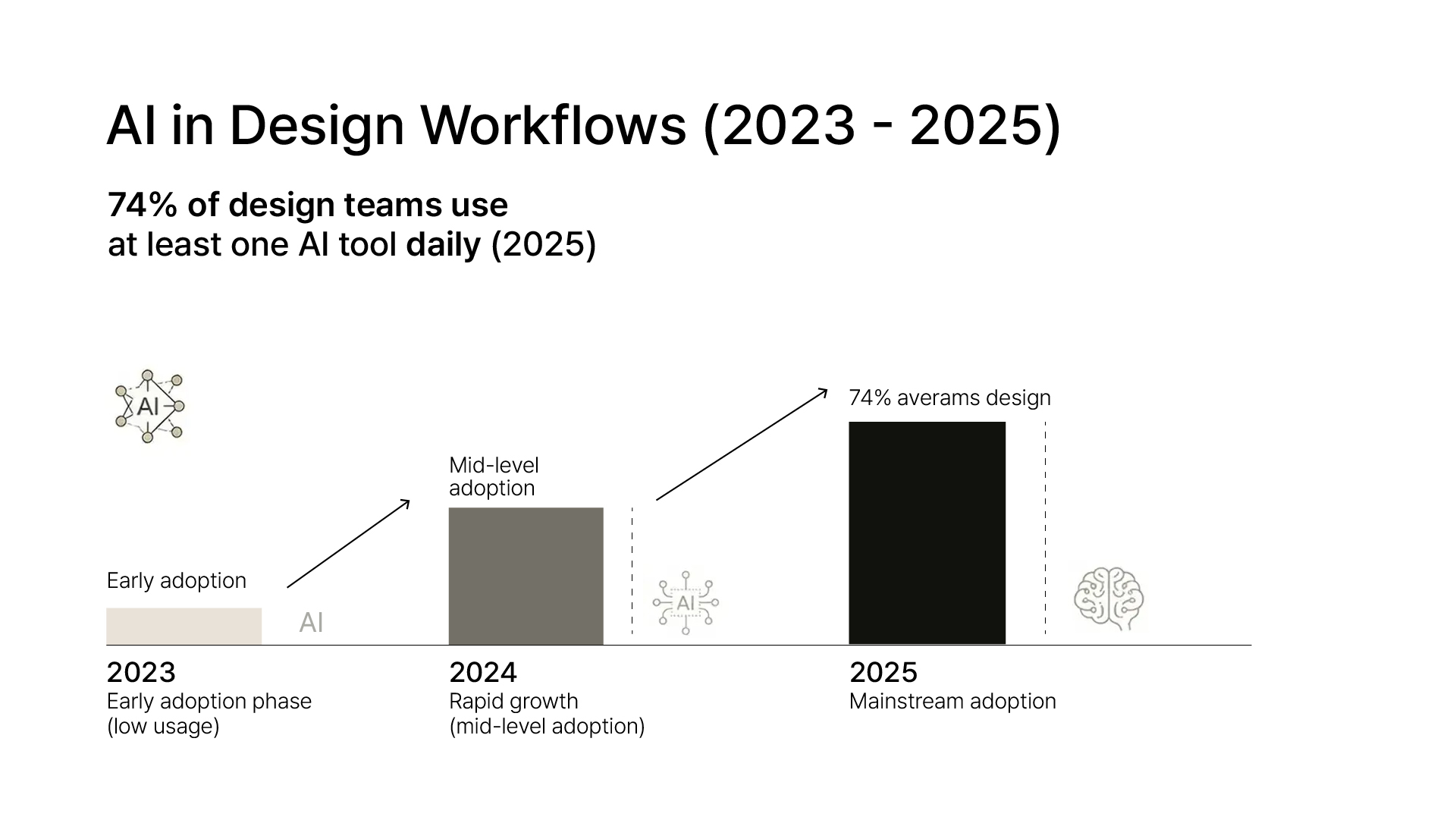
Generative AI has crossed the threshold from novelty to necessity. According to Adobe's 2025 Creativity Report, 74% of design teams now use at least one AI tool daily. The shift isn't optional; it's competitive.
But the real differentiator isn't just using AI tools. It's knowing which tool solves which problem. A branding studio has different needs than a UX team. That's the lens through which this list is built.
1. Adobe Firefly 3: Create Images Without Copyright Worries
Think of Firefly as Adobe's AI that's safe to use for real client work. Every image it generates is trained on licensed content, so you're not risking legal issues. Inside Photoshop, you can erase an object and let Firefly fill in the background like it were never there. Inside Illustrator, you can turn a text description into a vector graphic. It saves hours of image sourcing and manual retouching.
Best for: Brand identity, illustrations, and editorial visuals.
2. Midjourney v7: Turn Ideas Into Visual Concepts Instantly
Midjourney is the tool designers use when they need to show a client what something could look like before any real design work begins. You type a description, and it generates high-quality concept images in seconds. Version 7 lets you keep the same character or visual style across multiple images, a huge win for brand consistency.
Best for: Mood boards, creative concepts, and art direction.
3. Figma AI: Design Faster Inside the Tool You Already Use
Figma added AI directly into its design editor, so there's no switching between apps. You can describe a screen, and it builds one for you, it auto-names your layers, and it suggests the right components. If you already use Figma, this just makes your existing workflow significantly faster.
Best for: UI/UX design, prototyping, and design systems.
4. Runway Gen-3: Make Videos Without a Video Team
Runway lets designers produce short, polished video clips from images or text prompts. You don't need video editing skills or a production team. It's used by studios to create brand films, social media content, and animated product showcase videos, all without leaving your creative process.
Best for: Motion design, brand videos, and social media content.
5. Khroma: Find the Perfect Colour Palette Every Time
Khroma learns from your own colour preferences and then generates palettes that actually match your taste. Unlike other colour tools that give you random combinations, Khroma's suggestions feel like they came from a designer with a good eye. It's simple, fast, and surprisingly accurate.
Best for: Branding, UI design, and packaging.
6. Framer AI: Build a Website Draft in Minutes
Framer can generate a full website layout, complete with sections, content blocks, and placeholder copy, from a single sentence description. Designers use it to show clients a rough website direction before committing to a full build. It's also great for quickly testing landing page ideas.
Best for: Web design, client proposals, and landing pages.
7. Canva AI (Magic Studio): Fast Design for Marketing Teams
Canva's AI features make it the go-to tool when you need to produce a lot of content quickly. Magic Write drafts copy, Magic Edit changes parts of an image, and Magic Animate turns static designs into moving graphics. It's especially useful for social media managers and marketing teams working alongside designers.
Best for: Social media graphics, marketing content, and team collaboration.
8. Uizard: Sketch It, and Uizard Builds the Wireframe
Uizard turns rough hand-drawn sketches or screenshots into clean, editable digital wireframes. If you're in a client workshop and someone draws an idea on a whiteboard, you can photograph it, and Uizard turns it into a proper prototype on the spot. No more going back to the office to manually recreate what was sketched in a meeting.
Best for: Wireframing, UX research, and client workshops.
9. Ideogram 2.0: The Only AI Image Tool That Gets Text Right
Every other AI image generator struggles with text inside images; words come out misspelled, warped, or unreadable. Ideogram 2.0 is the exception. It reliably generates images with clean, accurate text, making it the go-to choice for designers working on posters, ads, and social graphics where the words actually matter.
Best for: Poster design, ad creatives, and social graphics with text.
10. Notion AI: Write Briefs and Docs Without the Headache
Good design starts with a clear brief. Notion AI helps designers write creative briefs, summarise client meetings, and create project documentation in a fraction of the time. Less time writing means more time designing. It's the tool that quietly improves every project before the first pixel is placed.
Best for: Creative briefs, project documentation, and client communication.
Key Insight: Don't build your tool stack by chasing features; build it around your bottlenecks.
Ask yourself: Where do I lose the most time in a project? If it's early ideation, Midjourney, or Firefly. If it's UI production, Figma AI. If it's client communication, Notion AI. The best AI toolstack is the one built around your workflow gaps, not the one with the most tools.
The best AI tools for designers in 2026 aren't a replacement for creative thinking. They're a multiplier. A designer who uses the right AI tools can deliver more refined work, in less time, with more creative depth, not less.
At Integra Magna, we integrate AI into our design process not to cut corners, but to push boundaries. The result is a sharper strategy, faster execution, and design that actually moves people.
Ready to build a brand that leads instead of follows? Work with us at Integra Magna.
Q: Are AI tools safe for commercial design work?
AI tools like Adobe Firefly 3 are trained on licensed data and are explicitly cleared for commercial use. Always verify the licensing terms of any AI-generated asset before using it in client work.
Q: Will AI tools replace graphic designers?
No. AI tools automate repetitive production tasks, but design strategy, creative direction, and client relationships remain deeply human skills. The designers most at risk are those who refuse to adapt, not those who use AI.
Q: Which AI tool is best for brand identity design?
Adobe Firefly 3 for assets, Khroma for colour exploration, and Midjourney v7 for concept direction are the three tools most used by brand identity studios in 2026.
Q: Do I need coding skills to use AI design tools?
No. The tools listed above are designed for visual creatives. Most require no coding whatsoever.